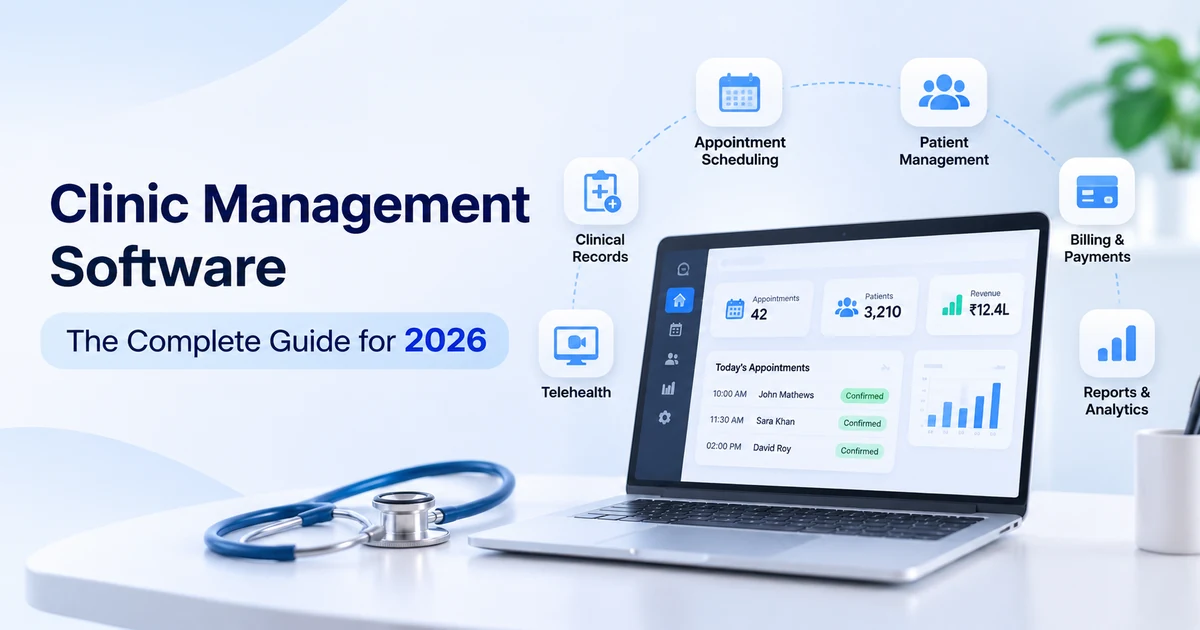
Clinic management software runs the daily heartbeat of a clinic: appointments, patient records, billing, reminders and reports. The right system gives doctors more time with patients and gives owners a clear view of the business. The wrong one adds clicks, frustrates staff, and ends up abandoned for paper and spreadsheets.
This guide explains clinic management software in plain language, what it is, the features that matter, how to choose, how to switch safely, and when a custom system makes sense. It’s based on what we learned building and running RazorClinic, our own clinic management SaaS.
Key Takeaways
- Clinic management software connects the front desk, doctors and billing in one system, so information is entered once and used everywhere.
- The front desk decides adoption. Choose software your receptionists find faster than what they use today.
- Cloud-based clinic management software is now the default, with automatic updates, backups and access from any device.
- Security and compliance are part of the product, from role-based access to HIPAA, GDPR or ABDM requirements.
- Plan the switch carefully. A typical clinic moves to new clinic management software in 4-8 weeks, including data migration and training.
What Is Clinic Management Software?
Clinic management software is a system that handles a clinic’s daily operations in one place scheduling, patient registration, medical records, prescriptions, billing, reminders and reporting. It replaces paper registers, separate billing tools and spreadsheets with one connected workflow.
You’ll hear a few similar terms:
| Term | Main focus | Typical users |
| Clinic management software | Day-to-day running of a clinic: appointments, records, billing, reports | Small and mid-size clinics, multi-location groups |
| EMR / EHR | Detailed clinical records and data exchange | Doctors, hospitals, health networks |
| Practice management software | Scheduling, billing and claims, often without deep clinical records | Private practices, especially in the US |
Modern clinic management software usually combines all three: practice management, an EMR for clinical notes, and patient-facing tools like booking and reminders.
Benefits of Clinic Management Software
- Shorter waiting times: online booking, digital intake and a live queue keep the day flowing.
- Fewer no-shows: automatic reminders by SMS, WhatsApp or email.
- Faster consultations: the doctor sees history, allergies and medicines on one screen.
- Accurate billing: charges flow from the visit to the invoice without re-typing.
- Better decisions: owners see revenue, no-show rates and doctor utilization in real time.
- Safer data: access controls, backups and audit logs instead of paper files anyone can open.
Must Have Clinic Management Software Features
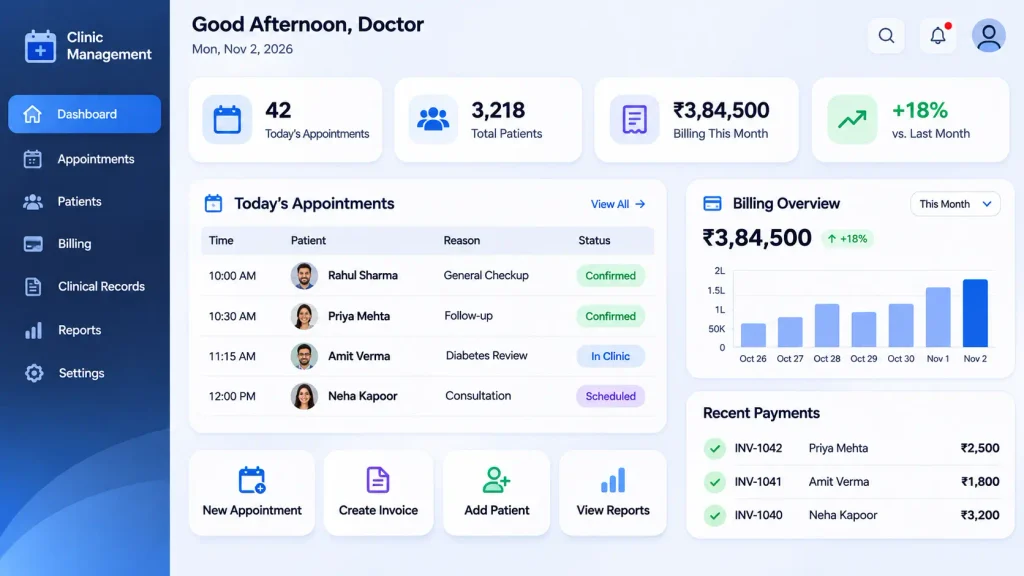
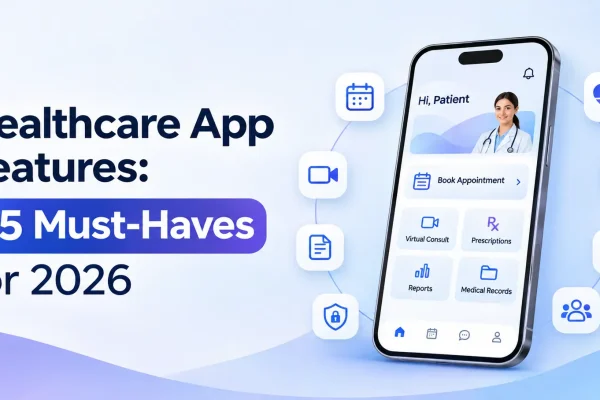
Look for these features when you evaluate clinic management software. For a full breakdown, see our guide to 25 must-have healthcare app features.
| Area | Features to look for |
| Appointments | Online booking, doctor calendars, walk-ins, queue display, rescheduling |
| Patient registration | Digital intake forms, ID and insurance details, consent capture |
| Medical records (EMR) | Visit notes, history, allergies, medicines, attachments, specialty templates |
| Prescriptions | E-prescriptions, favorite medicines, dosage and allergy checks |
| Billing and payments | Invoices, packages, discounts, insurance claims, online payments, daily cash reports |
| Reminders and communication | SMS, WhatsApp and email reminders, follow-up messages, feedback requests |
| Lab and pharmacy | Test orders, results upload, pharmacy and inventory tracking |
| Reports and analytics | Revenue, appointments, no-shows, doctor performance, patient growth |
| Staff and access | Roles for doctors, nurses, receptionists and owners, with audit logs |
| Patient app or portal | Booking, records, prescriptions and payments for patients |
| Multi-location | Several branches, shared patients, consolidated reports |
| Integrations | Labs, payment gateways, accounting tools, HL7 FHIR, national health systems |
Types of Clinic Management Software
| Type | How it works | Best for |
| Cloud-based (SaaS) | Runs in a browser and mobile app; vendor handles hosting, updates and backups | Most clinics today |
| On-premise | Installed on the clinic’s own server | Clinics with strict local IT policies or very poor internet |
| General clinic software | Covers common workflows for most specialties | GP clinics, polyclinics, small practices |
| Specialty software | Built for one field, such as dental, dermatology, physiotherapy or IVF | Clinics with specialty charts, procedures or imaging |
| Multi-location platform | One system across several branches with central reporting | Clinic chains and healthcare groups |
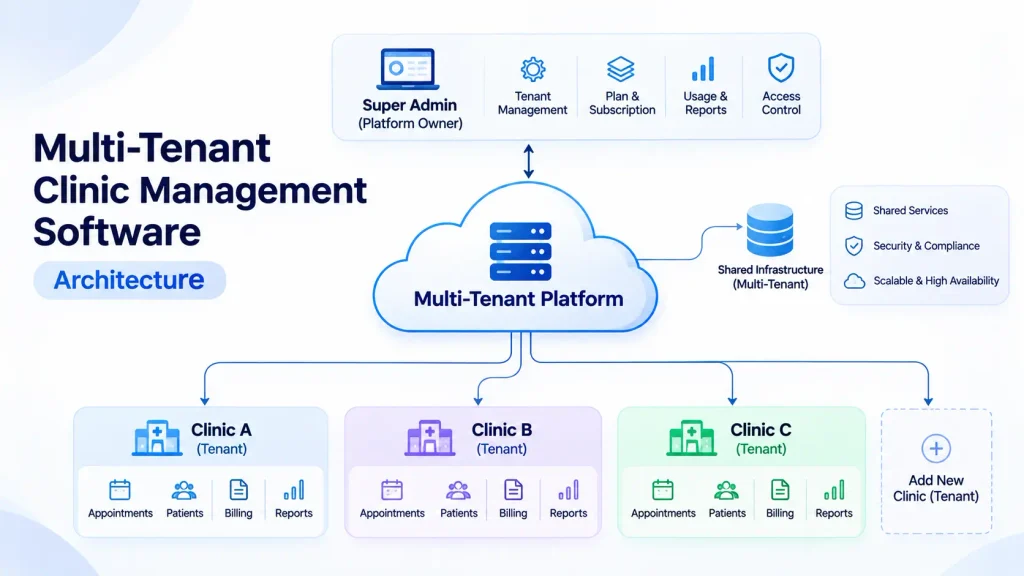
Cloud-based clinic management software is now the default choice for most clinics, because it removes server maintenance and lets doctors check schedules and records securely from anywhere.
How to Choose the Right Clinic Management Software
Ask these questions before you sign:
- Is it faster for the front desk? Ask the receptionist to book, check in and bill a patient during the demo.
- Does it fit your specialty? Check templates, charts and procedures for your type of practice.
- Is it compliant in your country? HIPAA in the US, GDPR in Europe, ABDM and DPDP in India, and local rules in the UAE.
- Can you get your data out? Make sure you can export all patient data if you ever switch.
- Does it integrate? Labs, payment gateways, accounting, WhatsApp and national health systems.
- Does it work on mobile and on slow internet?
- What does support look like? Training, response times, and help in your language and time zone.
- Can it grow with you? New doctors, branches, services and a patient app.
Security and Compliance
Clinic management software stores some of the most sensitive data people have, so check security as carefully as features:
- Role-based access: a receptionist shouldn’t see clinical notes they don’t need.
- Audit logs: every view, edit and export of a record is tracked.
- Encryption in transit and at rest, plus automatic daily backups.
- MFA and automatic logout for staff accounts.
- Data residency: patient data stored in the right country or region where the law requires it.
- Compliance for your market: HIPAA in the US (with a signed business associate agreement), GDPR in Europe, and DPDP and ABDM in India.
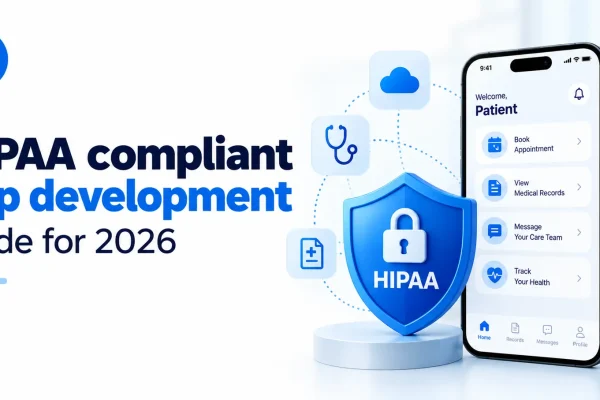
If you’re building or customizing software for US clinics, our guide to HIPAA-compliant app development covers the safeguards in detail.
AI in Clinic Management Software
AI is the biggest change in clinic management software in 2026. The most useful AI features save staff time on routine work:
- AI patient intake: patients answer questions before the visit, and the doctor gets a structured summary.
- AI clinical notes: a draft note from the consultation that the doctor reviews and signs.
- No-show prediction and smart reminders: extra reminders for patients likely to miss visits.
- Document extraction: lab reports and referral letters read automatically into the record.
- Billing support: suggested codes and checks for missing information before claims go out.
Good AI features keep the doctor in control, AI drafts, a human reviews, and every AI action is logged.
How to Switch to New Clinic Management Software
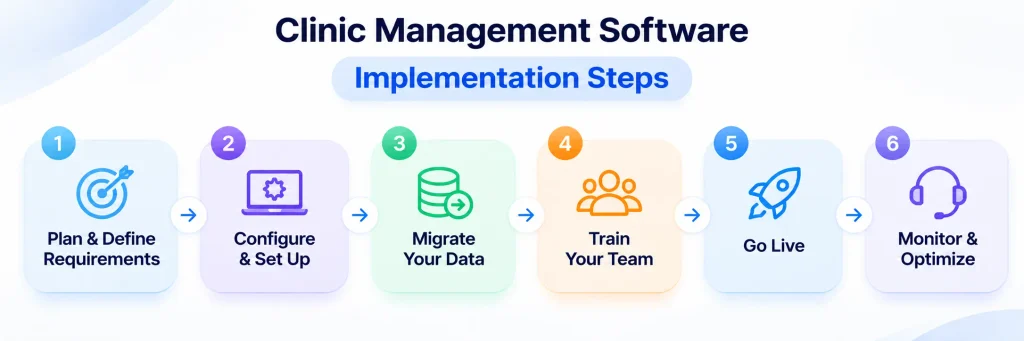
Switching systems is where most clinics struggle. A clear plan keeps patients and staff unaffected:
- Plan (week 1). Agree on goals, list every workflow (booking, billing, records, reports) and pick one person to own the project.
- Set up (weeks 1-2). Add doctors, services, fees, templates, roles and reminder messages.
- Migrate data (weeks 2-4). Export patients, appointments and history from the old system, clean duplicates, import, then spot-check records.
- Train staff (weeks 3-4). Short, role-based sessions: receptionists, doctors and billing staff each learn only what they use.
- Run in parallel (1-2 weeks). Use the new system for new appointments while the old one stays read-only.
- Go live and review (weeks 5-8). Switch fully, collect staff feedback daily for the first two weeks, and fix friction fast.
Most clinics complete the switch to new clinic management software in 4-8 weeks. Multi-location groups usually roll out one branch first, then the rest.
Ready Made vs Custom Clinic Management Software
| Ready made (SaaS) | Custom clinic management software | |
| Time to start | Days to weeks | 3-6 months |
| Fit to your workflow | Standard workflows | Built around how your clinics work |
| Specialty needs | Depends on the vendor | Fully supported |
| Integrations | The vendor’s list | Any lab, insurer or system you need |
| Branding | Vendor’s brand | Your own brand, including a patient app |
| Best for | Single clinics with standard needs | Clinic chains, specialty networks and healthtech startups building their own product |
Most single clinics should start with ready-made software. Custom clinic management software makes sense when you run several branches with unique workflows, need deep integrations, or want to offer the software to other clinics as your own product.
What Building RazorClinic Taught Us
RazorClinic is Briskcovey’s own multi-tenant clinic management SaaS. Building and running it shaped how we approach every clinic project:
- Multi-tenancy from day one keeps each clinic’s data fully separate and makes onboarding a new clinic a setup task, not an engineering project.
- Receptionist speed comes first, because front-desk staff use the system all day.
- Local integrations matter more than long feature lists, such as ABDM for Indian clinics.
- AI earns trust in small steps, starting with summaries doctors can edit.
For the full product-building process, read our HealthTech App Development in 2026 playbook.
Frequently Asked Questions
Clinic management software is a system that runs a clinic’s daily operations in one place, including appointments, patient registration, medical records, prescriptions, billing, reminders and reports.
An EMR focuses on clinical records. Clinic management software covers the whole clinic, including scheduling, billing and reports, and usually includes an EMR as one part.
Online booking, patient registration, medical records, e-prescriptions, billing and payments, reminders, lab and pharmacy tools, reports, staff roles with audit logs, a patient app, and integrations.
Yes, when it uses encryption, role-based access, audit logs, MFA, regular backups and hosting that meets your local data laws. Reputable cloud systems are often safer than local servers or paper files.
Most clinics switch in 4-8 weeks, including setup, data migration, staff training and a short period running both systems.
Yes. Multi-location clinic management software lets you manage several branches, share patient records across them and see consolidated reports.
Modern systems increasingly include AI patient intake, AI clinical notes, no-show prediction, document extraction and billing support, with doctors reviewing anything clinical.
Most single clinics should start with ready-made software. Custom software makes sense for clinic chains, specialty networks and startups building their own product.
Briskcovey builds and runs RazorClinic, its own multi-tenant clinic management SaaS, and builds custom clinic software and AI features for healthcare businesses. We’re an AI-first software studio and Anthropic Claude Partner.
Work With Briskcovey
BriskCovey is an AI-first software studio in Jaipur, India, and an Anthropic Claude Partner. We build and run RazorClinic, our own clinic management software, and create custom clinic management software, patient apps and AI features for clinics, clinic chains and healthtech startups through our healthcare app development services.
Whether you want to try RazorClinic, customize it for your clinics, or build your own clinic management software product, we start the same way: watch how your clinic works today, then remove every unnecessary click.
Book a free 30-minute clinic software consultation